How to enable SSL and install a certificate?
STEP 1. Select a domain. Select a domain by clicking on the domain name.
For accounts with one domain - proceed directly to step two.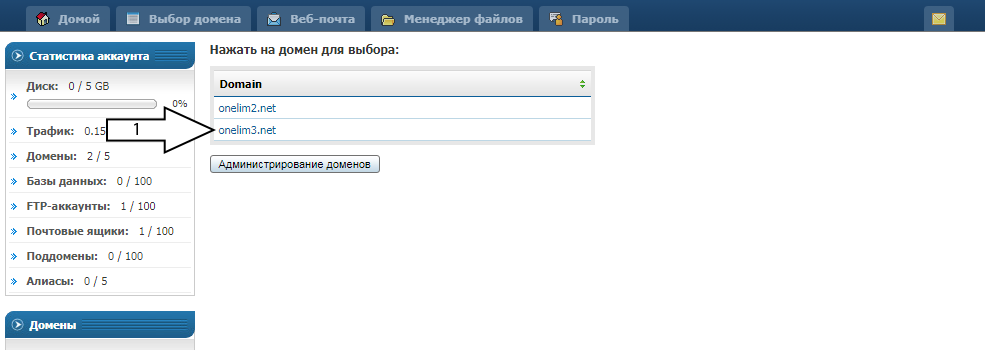
STEP 2. Click SSL Certificates.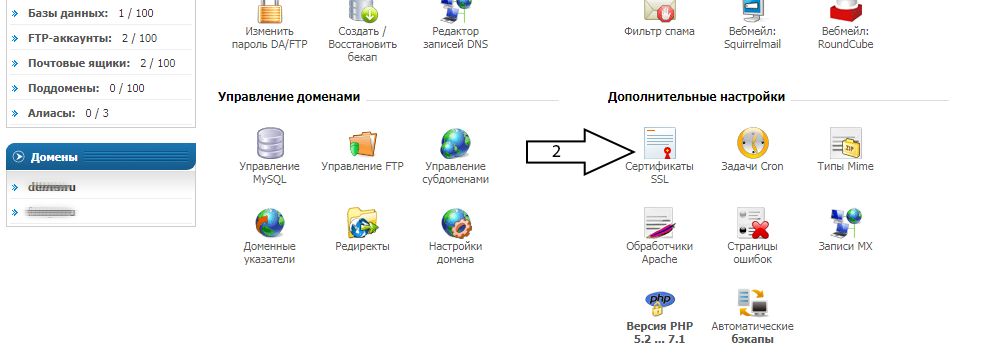
STEP 3. Click to go to the SSL activation page. If already enabled, proceed to step 7.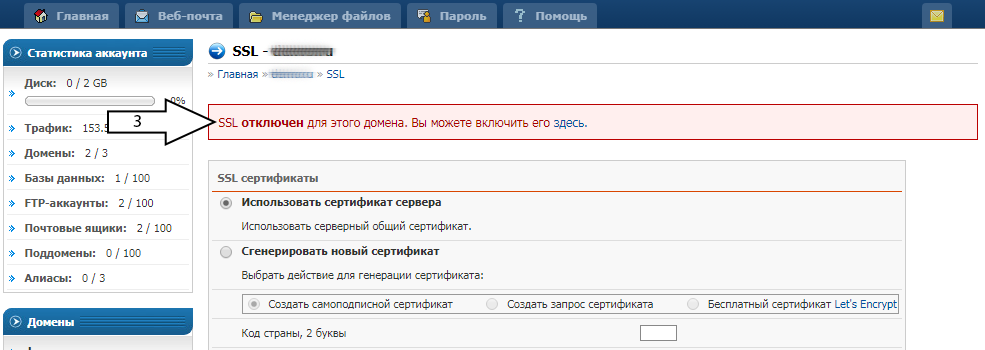
STEP 4. Check the Secure SSL box and click Save.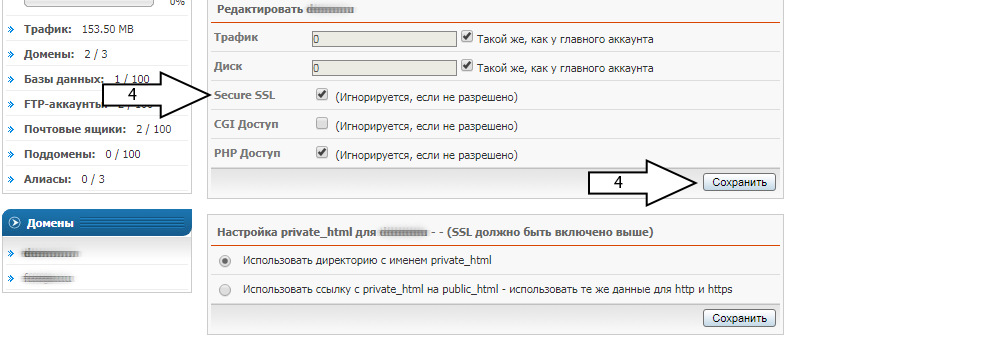
STEP 5. Check Use private_html link... and click Save.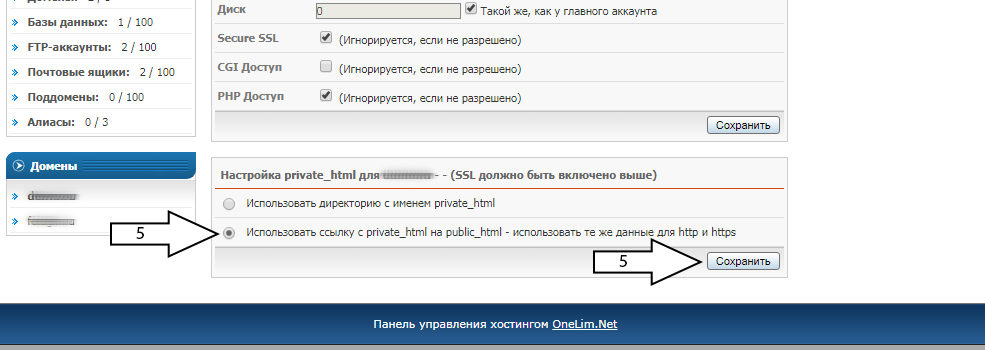
STEP 6. Perform actions from steps 1 and 2.
STEP 7. Select Generate a new certificate, then Free certificate..., specify your e-mail.
Scroll down the page and click Save.
Do not change the Domain, Key Size, and Certificate Type fields.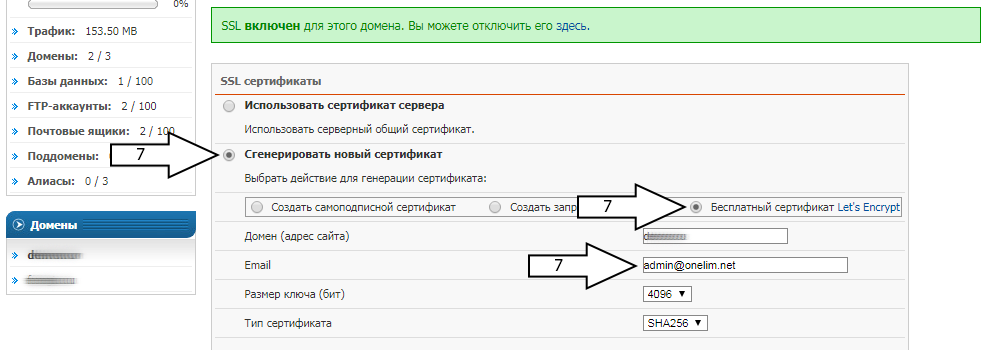
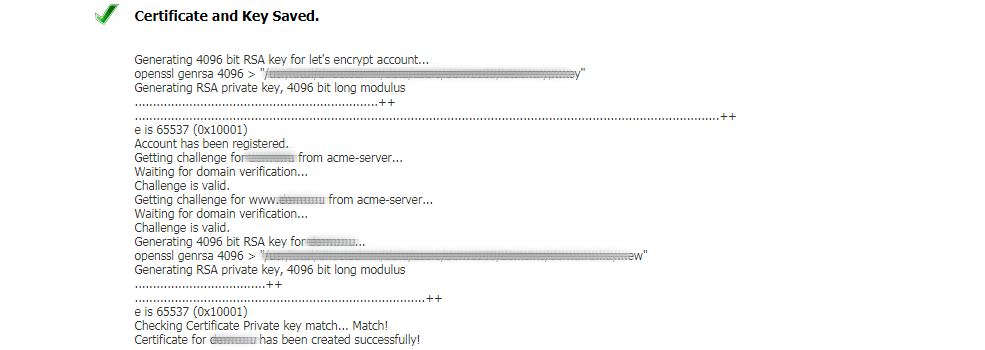
STEP 8. A notification about successful certificate installation will be displayed.
Wait 1-2 minutes and you can open the site at https://domain