How to add an alias?
Instructions for adding an alias (secondary address for a site) or domain for redirection to the main one.
STEP 1. Go to Domain Administration. Click Domain Selection link (to go to the main page),
then click on the domain name. For accounts with one domain, skip step one.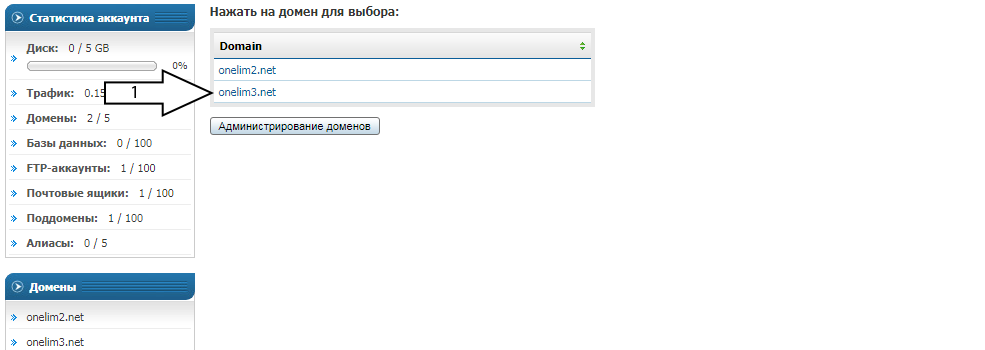
STEP 2. Click Pointers/Aliases.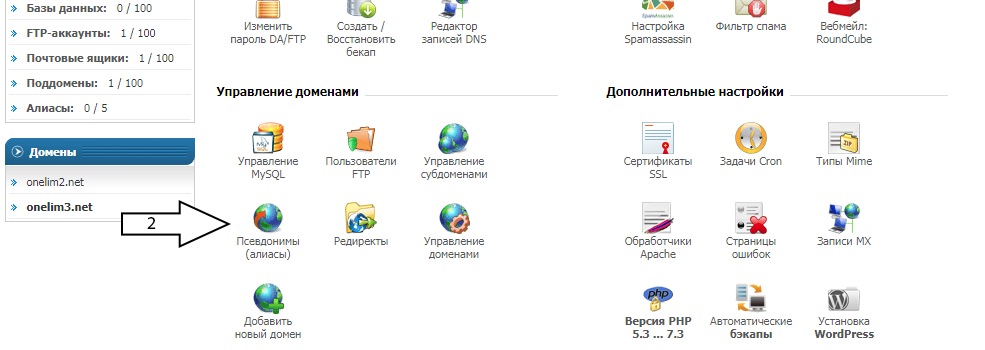
STEP 3. Specify the domain being added. Leave setting *4* unchanged to add an alias, or uncheck the box to add a redirect. Click Add.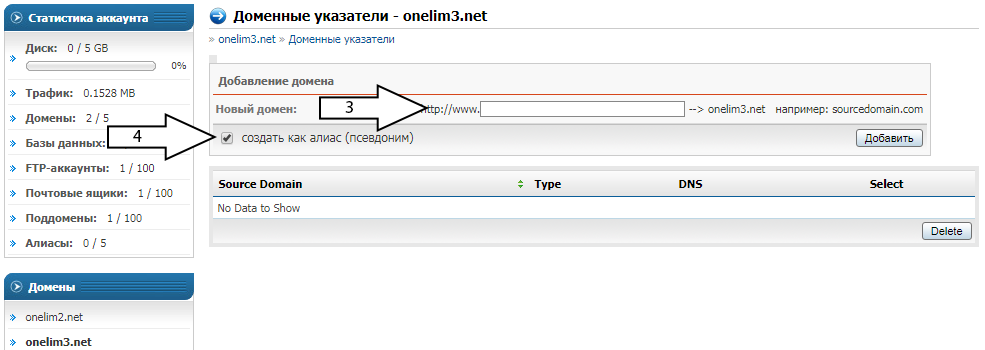
Result. In the example, the new domain is added as an alias. The site now has two addresses (domains),
site files (as before) are in /domains/domain_selected_in_step_1/public_html/.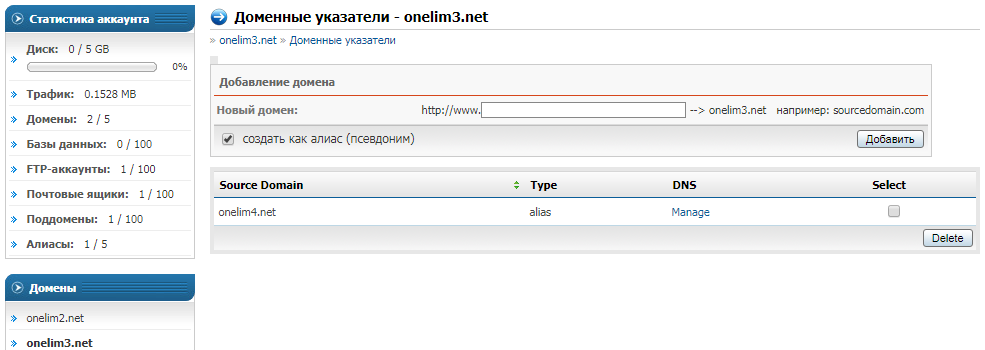
Important information:
- The new domain must be registered and delegated to hosting NS.
- Mailboxes created for the domain selected in the first step will also receive mail from the new domain.
- If the site had an SSL certificate, reissuing the SSL certificate for the domain selected in step one is required, with a checkmark next to the new domain.
- Clicking Manage in the DNS column opens the DNS record editor for the new domain.